One executable, no dependencies, no installer. Every command accepts --json and
writes a single JSON document to stdout, so it composes with anything.
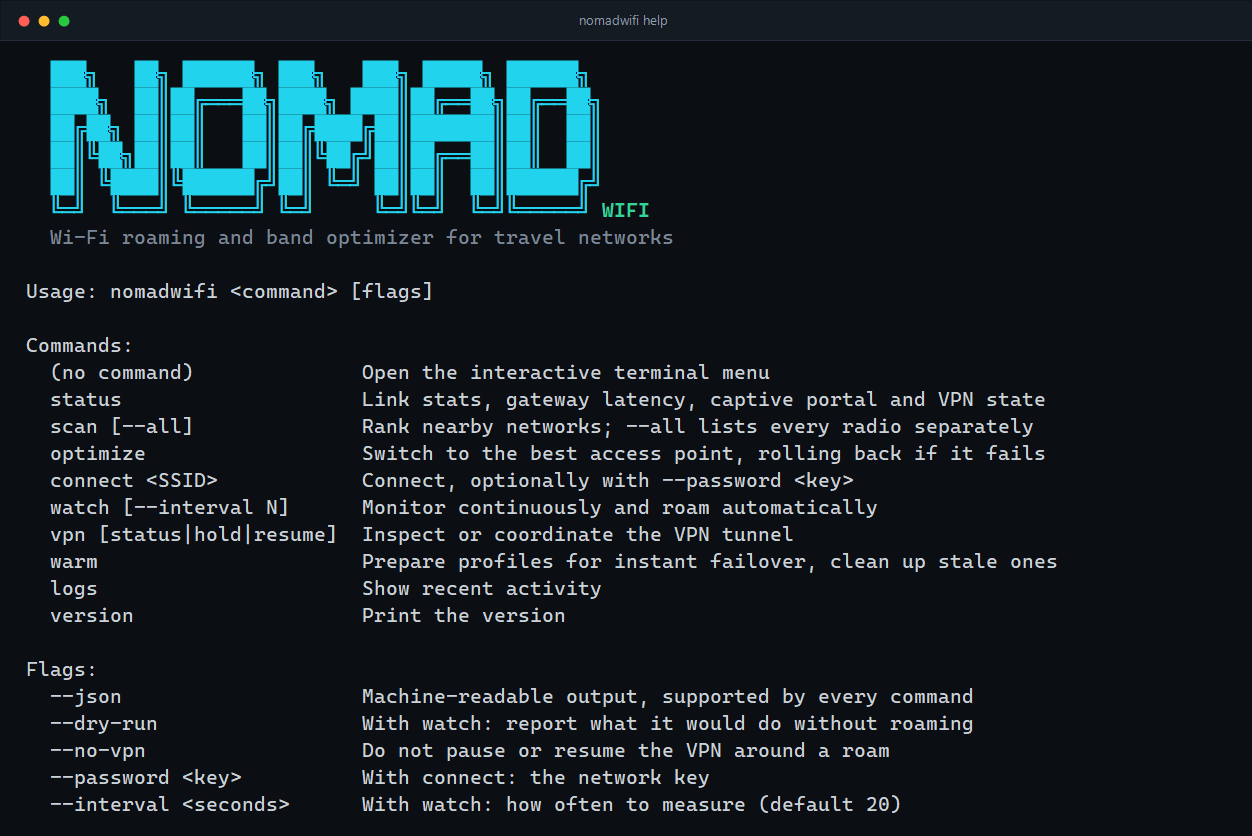
nomadwifi helpnomadwifi <command> [flags]Run it with no command to open the interactive terminal menu.
| Flag | Applies to | Effect |
|---|---|---|
--json | every command | Machine-readable output instead of the rendered view. |
--dry-run | watch | Report what it would do without actually roaming. |
--no-vpn | optimize, connect, watch | Do not pause or resume the VPN around a switch. |
--password <key> | connect | The network key. |
--interval <seconds> | watch | How often to measure. Default 20. |
--all | scan | List every radio separately instead of one row per network. |
Link statistics, gateway latency, captive portal state and VPN tunnels.
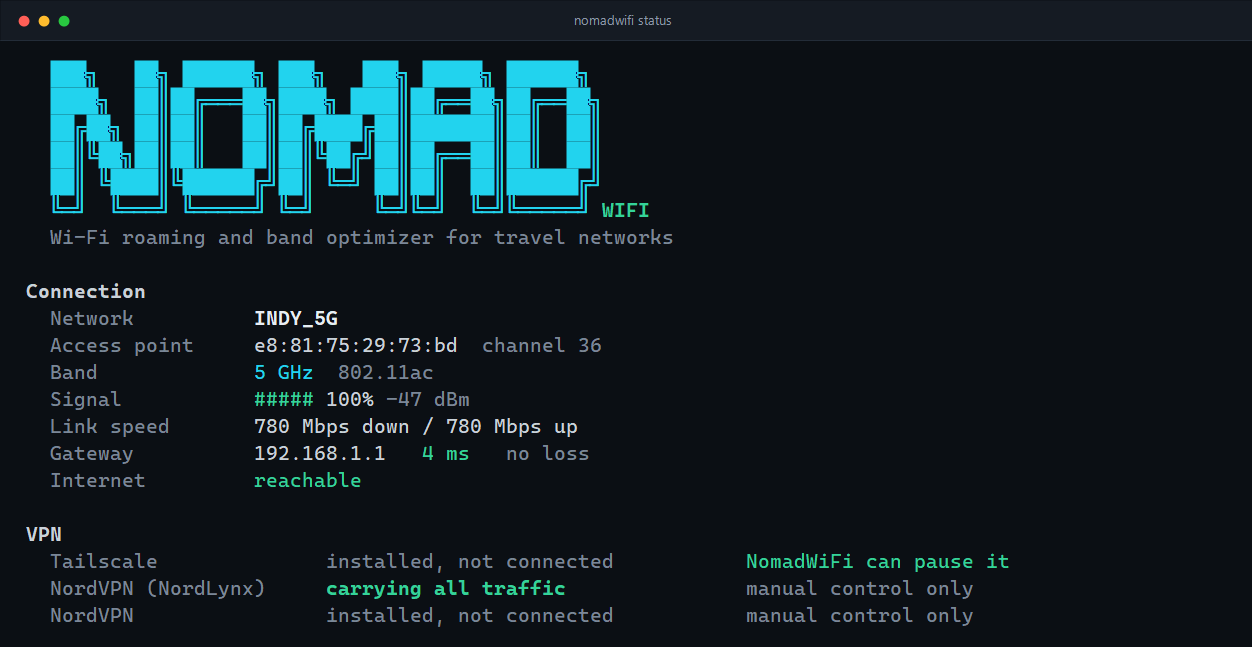
$ nomadwifi status --json
{
  "interface_name": "Wi-Fi",
  "description": "Intel(R) Dual Band Wireless-AC 8265",
  "connected": true,
  "ssid": "INDY_5G",
  "bssid": "e8:81:75:29:73:bd",
  "band": "5 GHz",
  "channel": 36,
  "radio_type": "802.11ac",
  "rx_mbps": 866,
  "tx_mbps": 866,
  "signal_percent": 100,
  "rssi": -43,
  "gateway_ip": "192.168.1.1",
  "gateway_latency_ms": 3.73,
  "captive_portal": false
}
When a sign-in page is in the way, captive_portal is true and
captive_portal_url carries the address to open.
Ranks every network in range. By default one row per network, with the strongest radio
standing in for the rest; --all lists each BSSID separately, which is the view
the roaming engine works from.
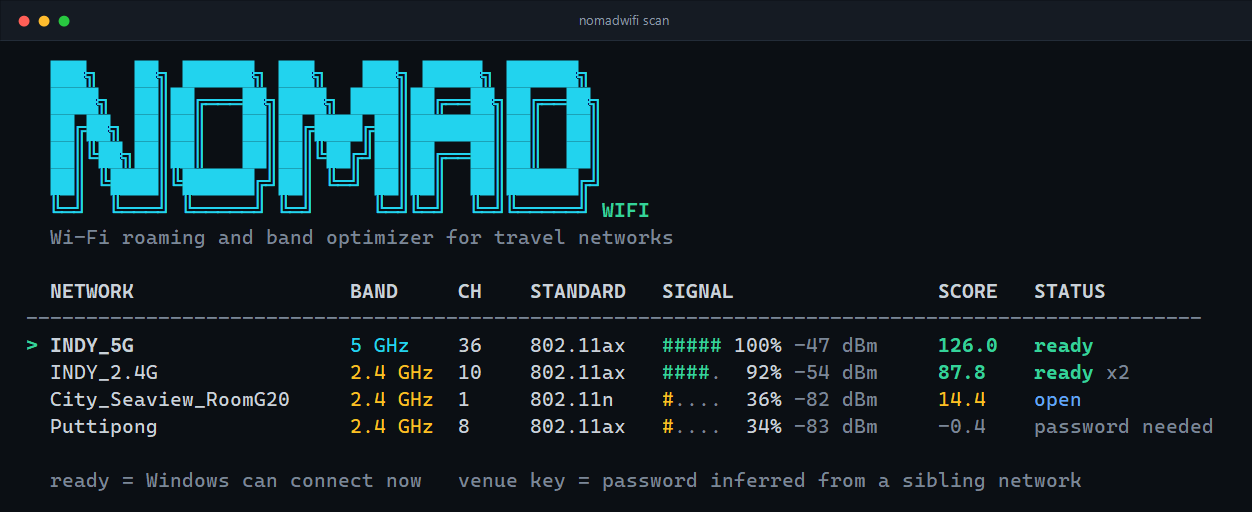
$ nomadwifi scan --json
[
  {
    "ssid": "INDY_5G",
    "bssid": "e8:81:75:29:73:bd",
    "signal_percent": 100,
    "rssi": -43,
    "band": "5 GHz",
    "channel": 36,
    "frequency_khz": 5180000,
    "radio_type": "802.11ax",
    "authentication": "WPA2-Personal",
    "cipher": "CCMP",
    "quality_score": 126,
    "auth_status": "SAVED",
    "is_warm": false,
    "reasons": ["Wi-Fi 6 (802.11ax)", "5 GHz band", "AP airtime nearly idle", "Saved network"],
    "has_channel_util": true,
    "station_count": 4,
    "bssid_count": 1
  }
]| Field | Meaning |
|---|---|
band | 2.4 GHz, 5 GHz or 6 GHz, derived from frequency_khz — 6 GHz channel numbers overlap the lower bands, so the channel alone cannot tell them apart. |
rssi | Measured signal in dBm. signal_percent is derived from it, not from the driver's link quality. |
auth_status | SAVED, INFERRED (a venue sibling's key), OPEN or LOCKED. |
is_warm | NomadWiFi has already written a Windows profile for this network. |
station_count, has_channel_util | From the access point's BSS Load element, when it publishes one. |
bssid_count | How many radios this network was collapsed from. Only in the default view. |
reasons | Plain-language explanation of the score. |
Switch to the best access point once and stop. If the new one does not reach the internet within the deadline, the previous network is restored.
$ nomadwifi optimize --json
{
  "success": true,
  "switched": true,
  "current_ssid": "Hotel_Lobby",
  "target_ssid": "Hotel_5G",
  "band": "5 GHz",
  "reason": "5 GHz band, Wi-Fi 6 (802.11ax), stronger signal"
}
switched is false when the current access point is already the best choice.
Connect to a named network. Open networks need no key; for a locked one, either the key is already saved, NomadWiFi can infer it from a venue sibling, or you supply it.
$ nomadwifi connect "Hotel Guest"
$ nomadwifi connect "Hotel_5G" --password "roomnumber123"Stay resident: measure link health on an interval, react to disconnects the moment the wireless service reports them, and roam when it is warranted. This is the same engine the desktop app runs.
$ nomadwifi watch
$ nomadwifi watch --interval 10
$ nomadwifi watch --dry-run     # report decisions, change nothing
$ nomadwifi watch --no-vpn      # never touch the tunnel
With --json, each event is written as one JSON object per line as it happens.
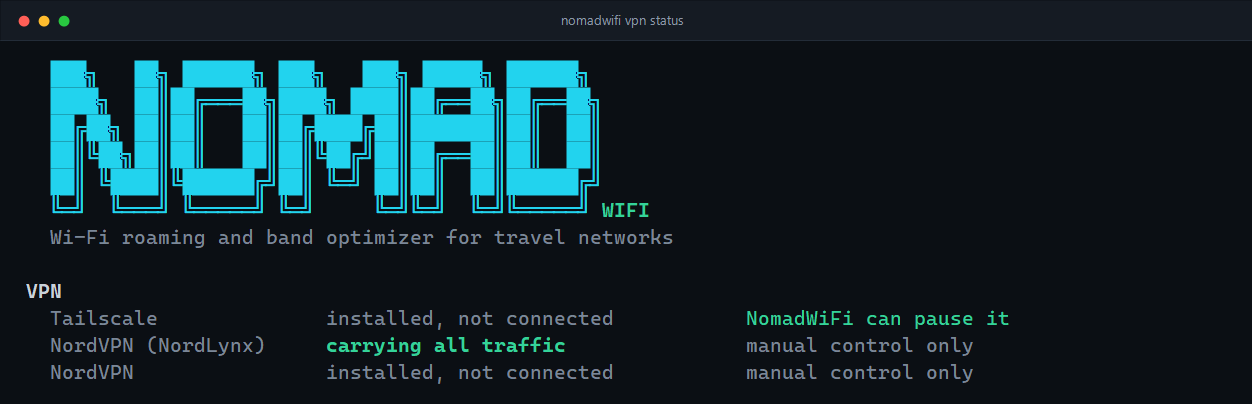
Inspect the tunnels on this machine, or coordinate one by hand.
| Command | Effect |
|---|---|
nomadwifi vpn status | Every detected tunnel, whether it is up, whether it owns the default route, and whether NomadWiFi can control it. |
nomadwifi vpn hold | Pause the active tunnel — for signing in to a captive portal, for instance. |
nomadwifi vpn resume | Bring it back and flush the DNS cache. |
$ nomadwifi vpn status --json
{
  "tunnels": [
    {
      "provider": "NordVPN (NordLynx)",
      "adapter": "NordLynx",
      "up": true,
      "owns_default_route": true,
      "controllable": false,
      "control_hint": "This client has no command line on Windows. ...",
      "local_ip": "10.5.0.2"
    }
  ],
  "active": { /* the tunnel that owns the default route, if any */ }
}
See VPN & captive portals for which clients are controllable and what happens when one is not.
Prepare the current venue's networks for instant failover and clean up profiles that turned out
to be wrong. Runs automatically in the background while watch or the desktop app
is running; this command is the manual trigger.
$ nomadwifi logs           # the last 40 lines of activity
$ nomadwifi version
NomadWiFi 1.2.0
Native Wi-Fi API: true
State: C:\Users\you\.nomadwifi\state.json
Native Wi-Fi API: false means the Windows WLAN service could not be opened and
NomadWiFi has fallen back to parsing netsh. Everything still works, but scans are
slower and 6 GHz cannot be told apart from 5 GHz.
| Code | Meaning |
|---|---|
0 | The command completed. With --json, check the payload: a failed connect still exits 0 and reports "success": false. |
1 | The command could not run at all — no wireless interface, a scan the driver refused, an unknown command. |
nomadwifi agent --stdio starts the long-lived engine the desktop app drives. It
speaks newline-delimited JSON on stdin and stdout: one request per line, one reply per line,
plus unsolicited events. It is documented because it is stable, not because you need it —
scripts are better served by --json.
→ {"id":1,"method":"scan"}
← {"id":1,"ok":true,"result":[ ... ]}
← {"event":"roamed","ssid":"Hotel_5G","reason":"previous AP stopped carrying traffic"}
Methods: status, scan, optimize, connect,
vpn_status, vpn_hold, vpn_resume, warm,
set_autoroam, get_autoroam, version, ping.
Events: ready, log, roamed.